• Link to Facebook
  • Link to LinkedIn
Call Us: (65) 6894 0822
Valsys Technologies Logo
  • Home
  • About Us
  • Products
    • Access Control System
      • Atlas Series Access Control System
      • EntryPass Access Control System
      • Access Control System Accessories
    • Biometric Door Access System
    • Biometric Time Attendance System
    • Standalone Access Control System
    • Intelligent Cloud-Based Access Control
    • ZKTECO – ZKBio CVSecurity Integrated Security Management System
    • CCTV Surveillance Camera System
      • HIKVISION Turbo HD Camera
      • AVTECH IP Camera System
      • dahua IP Camera System
    • Monnit ALTA Wireless Monitoring System
    • UTi165K Thermal Imager
  • Solutions
    • Covid-19 Automated Occupancy Control System
    • Hikvision Temperature Screening Solution
    • Retail Security Solutions
    • Access Control Solution
    • HiWatch
  • Promotions
  • Blogs
  • Contact Us
  • Click to open the search input field Click to open the search input field Search
  • Menu Menu
cctv installation in singapore

A Step-by-step Guide to Install your CCTV System

July 4, 2022/by valsyste
cctv installation in singapore

In the age of technology and digitalisation, CCTV systems in Singapore are growing in prevalence, being used for both residential and commercial purposes. According to IHS Markit’s latest report, over one billion surveillance cameras will be installed worldwide! No doubt, CCTVS systems are one of the best ways to enhance security and safeguard personal belongings and data. Much consideration goes into getting a CCTV system, from the brand to the features and functions offered. However, the decision-making does not stop there. Once you have your CCTV system, you need to ponder over having it professionally installed or install it on your own. If you have decided to do it yourself, then this article serves as the perfect guide to help you through the CCTV installation process.

Step 1: Placement of Surveillance Camera

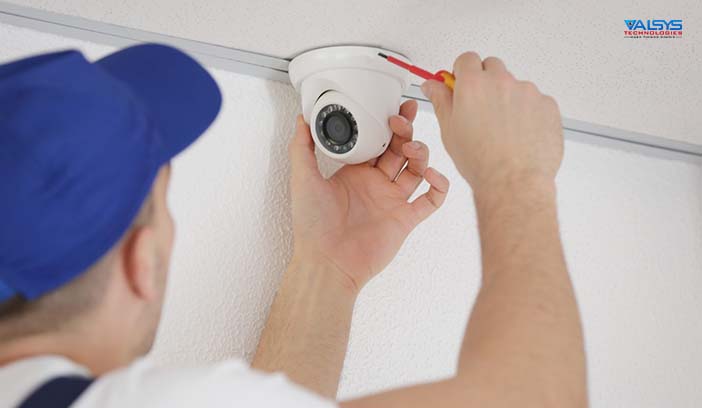
Before even getting into the nitty gritty of CCTV installation in Singapore, it is important to first think about the placement of your CCTV system. You would want to mount it in a practical location with a wide field of angle and minimal glare. In commercial applications, it is recommended to install your CCTV system near entrances to better monitor when others come and go.

Alternatively, you might also want to have extra cameras in more deserted areas too as intruders may leverage those routes with the impression that they are well hidden. With regards to installing a CCTV system in Singapore residential areas, bear in mind that there are certain regulations to follow. For instance, a permit is required if you wish to install it along HDB corridors.

Step 2: Placement of DVR
cctv system in singapore

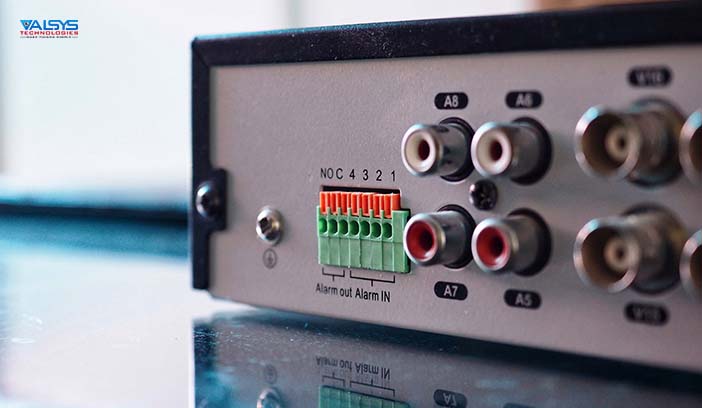
After deciding where your camera will be, think about your digital video recorder (DVR) next. The DVR captures the video footage from the camera, allowing you to store and replay all recordings should there be a need to. It is advisable to keep your DVR in a locked compartment to keep all footage safe.

Step 3: Cable Management and Connection

Now, we come to the more technical aspect of the installation process. To ensure that your CCTV system works, cables and wires should be properly connected. A BNC port is required to connect with the video cable. 1.5cm of the video cable outer covering should be removed to expose the braids. Next, slide the crimping barrel onto the cable. Ensure that the wider diameter faces the cable end. Remove the white insulator encompassing the innermost cable and insert this exposed cable into the BNC port. Screw the crimping barrel well, and finally, connect the DVR output port to the screen you want. Apart from the BNC, you can use a Scart lead or VGA lead to connect to your monitor as well.

Good cable management contributes to a long-lasting CCTV system. All cables connecting the surveillance camera to the DVR unit should have a planned pathway. It is best to use wire mouldings to keep the cables secure and you can even nail the mouldings along the path.

Step 4: Powering and Programming your DVR
cctv surveillance system in singapore

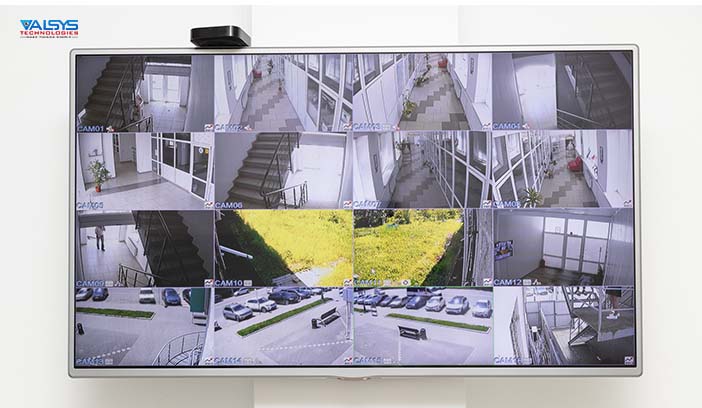
Finally, with the connections all set up, you are ready to test if your CCTV installation endeavours led to success. Start by powering on the different components, from the surveillance camera to the DVR and screen display. Next, programme your DVR. A manual should be provided to guide you through this procedure. Depending on your DVR, a hard drive installation may be needed. When that is done, preview your camera footage. If you have multiple cameras installed, assess each camera feed to ensure that they are all in good working condition and that they are positioned in the way you desire for optimal monitoring.

And with that, you are well on your way to enjoying a safer working and living environment! Ultimately, the choice of engaging a professional or doing it on your own boils down to your experience, preference and budget. Either way, what’s most crucial is ensuring that the outcome of enhanced safety is achieved.

At Valsys Technologies, we strive to deliver simple yet effective security solutions. Looking for a quality CCTV system? Contact us today and we will be happy to support you from product selection to the installation process.

Share this entry
  • Share on Facebook
  • Share on X
  • Share on WhatsApp
  • Share on Pinterest
  • Share on LinkedIn
  • Share on Tumblr
  • Share on Vk
  • Share on Reddit
  • Share by Mail
https://www.valsystech.com.sg/wp-content/uploads/2022/07/cctv-installation-in-singapore.jpg 408 702 valsyste https://www.valsystech.com.sg/wp-content/uploads/2021/08/Valsys-Technologies-Logo.png valsyste2022-07-04 16:09:362025-12-02 17:17:56A Step-by-step Guide to Install your CCTV System

Pages

  • About Us
  • Access Control Solution
  • Access Control System
  • ADSP20HA
  • ADT45HA
  • AS-0450H
  • AS-0480H
  • Atlas Series Access Control System
  • AVC151
  • AVC153
  • AVC158
  • AVC159
  • AVC181
  • AVC183
  • AVC189
  • AVC432
  • AVC452
  • AVC462
  • AVC482
  • AVC492
  • AVC704H
  • AVC706H
  • AVC708H
  • AVH0401
  • AVH0801
  • AVH308
  • AVH316
  • AVH516
  • AVM302
  • AVM311
  • AVM328D
  • AVM357
  • AVM428D
  • AVM457
  • AVM459BP
  • AVM521
  • AVM542
  • AVN320
  • AVN815EZ
  • AVTECH IP Camera System
  • Biometric Door Access System
  • Blogs
  • Card Access System in Singapore
  • CCTV Surveillance Camera System
  • Covid-19 Automated Occupancy Control System
  • DH-NVR2104-P
  • DH-NVR3104H-P
  • DH-NVR7208-8P
  • DH-NVR7416-16P
  • DH-NVR7816-16P
  • DS-2CD2010-I
  • DS-2CD2020-I
  • DS-2CD2032-I
  • DS-2CD2110-I
  • DS-2CD2120-I
  • DS-2CD2132-I
  • DS-2CD2212-I5
  • DS-2CD2232-I5
  • DS-2CD2412F-I(W)
  • DS-2CD2432F-I(W)
  • DS-2CD2512-I(S)
  • DS-2CD2532-I(S)
  • DS-2CD2612F-I(S)
  • DS-2CD2632F-I(S)
  • DS-2CD2710F-I(S)
  • DS-2CD2732F-I(S)
  • DS-2CD6332FWD-I
  • DS-2CD6362F-I (V)(S)
  • DS-2CE16D1T-(A)VFIR3
  • DS-2CE16D1T-IR
  • DS-2CE56D1T-(A)VFIR
  • DS-2CE56D1T-IR
  • DS-7200HGHI-SH
  • DS-7200HQHI-SH
  • DS-7300HQHI-SH
  • DS-7604/08NI-E1/4P(-E2/8P)
  • DS-7708NI-E4/8P
  • DS-7716NI-E4/16P
  • DS-7732NI-E4/16P
  • EntryPass Access Control System
  • F21
  • F22
  • Hikvision Temperature Screening Solution
  • HIKVISION Turbo HD Camera
  • HiWatch
  • Intelligent Cloud-Based Access Control
  • IPC-HDB4100C
  • IPC-HDB4100F-PT
  • IPC-HDB4200C
  • IPC-HDB4200F-PT
  • IPC-HDBW4100E
  • IPC-HDBW4200E
  • IPC-HDW4100C
  • IPC-HDW4100S
  • IPC-HDW4200C
  • IPC-HDW4200S
  • IPC-HFW4100S
  • IPC-HFW4200S
  • IPC-HFW5100C
  • IPC-HFW5200C
  • MDR752D-B
  • MDR757HA-B
  • MDR759HA-B
  • Monnit ALTA Wireless Monitoring System
  • MultiBio800
  • Promotion Packages for Access Control System
  • Promotion Packages for Network CCTV Camera System
  • Retail Security Solutions
  • Sitemap
  • SpeedFace-V5L
  • Standalone Access Control System
  • Thank You
  • TX628-ID
  • uFace302
  • UTi165K Thermal Imager
  • VCD5-F824H-IR
  • VCD6-V720H-IR
  • VCN2-V740H-IR
  • VVR-9608L
  • VVR-9616H
  • VVR-9616L
  • ZKTECO – ZKBio CVSecurity Integrated Security Management System
  • N-Mini 2
  • Products
  • VAC-420-E
  • iClock 260
  • Multi-Door Access Control System
  • N-Mini
  • Solutions
  • VAC-330-E
  • Access Control System Accessories
  • iClock 360
  • N5400
  • VAC-311-E
  • Biometric Time Attendance System
  • iClock 700
  • N5200
  • VAC-300-E
  • CCTV Camera System
  • F18
  • iClock 700 Biometric Access Control System with Time Attendance Function
  • N5150
  • F18
  • Network IP Camera System
  • VTA-220-TUE
  • F6
  • VF300
  • MultiBio700
  • VF360
  • dahua IP Camera System
  • Promotions
  • TF1700
  • Contact Us
  • X7
  • MA500

Categories

  • No categories

Archive

    logo
    Valsys Technologies

    VALSYS provides electronic security systems for businesses in Singapore such as card and door access control systems, CCTV systems, intrusion alarm and biometrics attendance systems.

    Company

    • Home
    • About Us
    • Products
    • Solutions
    • Promotions
    • Blogs

    Location

    20, Woodlands Link, #07-02 Singapore 738733
    Tel (65) 6894 0822
    Fax (65) 6610 4231
    sales@valsystech.com.sg

    Social

    facebook facebook
    © Copyright 2012-2023 VALSYS TECHNOLOGIES PTE LTD. -All Rights Reserved
    • Privacy Policy
    • Sitemap
    • Terms of Service
    Link to: 4 Benefits of Time Attendance Systems Link to: 4 Benefits of Time Attendance Systems 4 Benefits of Time Attendance SystemsTime attendance system in singapore Link to: Industries that Benefit Most from Security Systems Link to: Industries that Benefit Most from Security Systems store or warehouse CCTV systemIndustries that Benefit Most from Security Systems
    Scroll to top Scroll to top Scroll to top